Lutheran Church Of Hope
Bringing Clarity and Flexibility to a Growing Multi-Campus Church
Project overview
The church’s current website was built long before streaming, digital ministry and the seven very different campuses became such a big part of their identity. As their digital footprint grew, the site couldn’t keep up. Users struggled to find basic information, and staff had to work around a patchwork of systems to keep things updated.
This redesign focused on creating a clearer, more unified experience—one that makes online engagement easier, and gives each campus the flexibility to manage its own content while working within one central system.
Duration
• June 2022 – November 2023
Role
• Lead UX/UI Designer
• User Research Support
Team
• 1 UX Designer
• 1 Project Manager
• 1 Client Manager
• 3 Web Developers
• 1 Web Administrator
• 1 UX Researcher
• 1 Communications Director
Tools
• Adobe XD
• Adobe Illustrator
• Adobe Photoshop
• Optimal Workshop
• Octopus.do
• Microsoft Excel
• WordPress
The Challenge
The biggest issue was fragmentation—both for users and for the people managing the site. Each campus handled content differently, important tasks were buried, and the tools powering the site weren’t built for how the church operates today.
Key Problems
1. “We can’t find anything.”
Calendars, classes, volunteer sign-ups, and event updates were confusing or hard to navigate. The site lacked a strong organizational overview.
2. A structure that no longer fits.
The CMS wasn’t designed for multiple unique campuses, growing digital offerings or adding new locations in the future.
3. Too much work for staff.
Shared content was difficult to maintain and updates for each campus had to route through a central team.
4. A homepage that didn’t tell their story.
Worship wasn’t front and center, and key content like video, outreach and the podcast were easy to miss.
5. Technical complexity behind the scenes.
The site needed to support multiple systems—events and class management, employment listings, payments, and streaming—while improving search and discoverability across calendars and offerings.
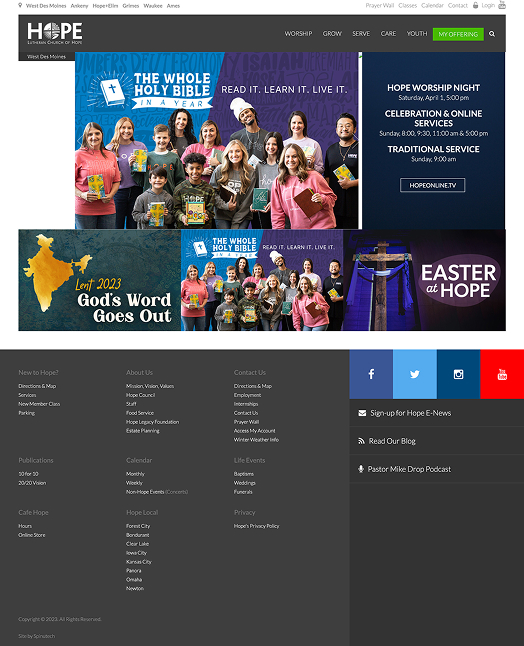
The homepage didn’t give new users a good sense of who they were. Existing church members had a hard time finding common tasks.
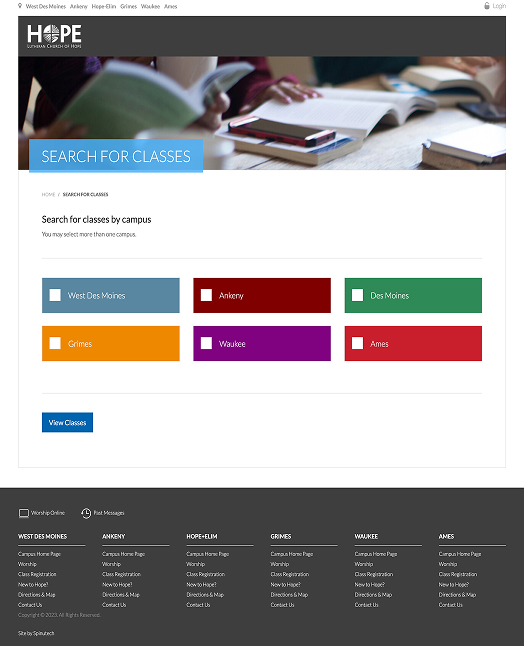
The class search wasn’t intuitive and didn’t show the breadth of classes available at first glance.
Discovery
Discovery focused on understanding where the website was falling short for both users and staff—and why. The findings revealed a clear disconnect between the strength of the church’s ministry work and how easily people could access it online.
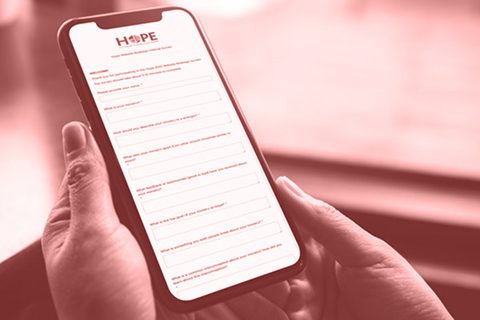
Internal survey
To better understand internal pain points, we surveyed church staff and ministry leaders across campuses. The results reinforced what we were hearing anecdotally—and revealed deeper opportunities around clarity, content, and ease of use.
- Staff feedback strongly reinforced what we’d already heard: navigation, search, and finding classes or events were the biggest pain points.
- Strong ministry work and meaningful content existed, but much of what makes the church unique wasn’t visible or easy to find online.
- Classes and events were too tightly tied to the calendar, making browsing, filtering, and planning ahead difficult.
- Leaders wanted the site to be easy: less clutter, clearer language, and obvious next steps.
- Most people arrive at the site through word of mouth, using it to confirm details and take action—not to discover the church from scratch.
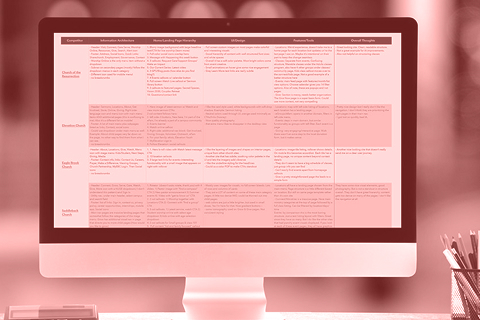
Competitor analysis
I reviewed websites from churches of similar size and complexity to better understand how they approach navigation and information architecture. The goal wasn’t to copy patterns, but to see how comparable organizations label and organize large amounts of content, support multiple campuses, and guide users through complex experiences—and where we might be able to improve.
- Many sites rely on overly simplified main navigation with very few links, which looks clean at first but often creates confusion upon a deeper look.
- Broad, vague labels without dropdown menus or supporting context make it harder for users to understand what content lives where.
- When navigation doesn’t provide clues upfront, users are forced into trial-and-error clicking.
of participants couldn’t find how to volunteer
couldn’t find addiction support content.
of participants couldn’t find how to volunteer
Tree test
To get some outside feedback on the current website’s navigation labels and content groupings, we ran a tree test with 50 participants across a wide range of faith backgrounds. The goal was to understand how successfully users can locate common, high-intent tasks—such as finding worship times, joining a group, or seeking support—using the current structure alone, without visual design cues. This helped give clear insight into where the information architecture was breaking down.
- Navigation labels were the biggest barrier. Across nearly every task, participants struggled not because content was missing, but because labels like Next Steps, Care, Serve, and Give were unclear or overlapping in meaning.
- People relied heavily on guessing—and on Search. Search was used in every task, often as a fallback when categories didn’t match expectations. Next Steps was a first click for every single task, signaling confusion rather than clarity.
- Worship and Watch performed well when clearly labeled. Live streaming was the most successful task, confirming that clear, action-oriented labels work—even within a larger navigation system.
- Classes, groups, and support were especially hard to find. Tasks related to classes, small groups, volunteering, childcare, and care services had very low success rates, with users scattering across many unrelated sections.
- Broad, vague categories hurt discoverability. Simplified navigation labels without context forced users into trial-and-error clicking. Participants often landed “close,” but not efficiently.
Proposed sitemap
Using the insights from the studies, we translated the research findings into a new sitemap that prioritized clarity over simplicity. The structure focused on grouping content in ways that matched user expectations, reducing ambiguous labels, and making high-intent tasks—like worship, getting involved, finding support, and planning ahead—easier to locate.


Design
I began the design phase by translating the research insights into clear, usable structure before exploring visual expression. Wireframes were used to resolve navigation, content structure, and user pathways—prioritizing high-intent tasks before introducing visual style. This allowed the structure to be validated first, ensuring the experience was intuitive and scalable across campuses
Visual layouts then built on that structure to reinforce hierarchy, improve scannability, and reflect the personality of the church—creating a cohesive, welcoming experience that supports both in-person and online engagement.
Wireframes
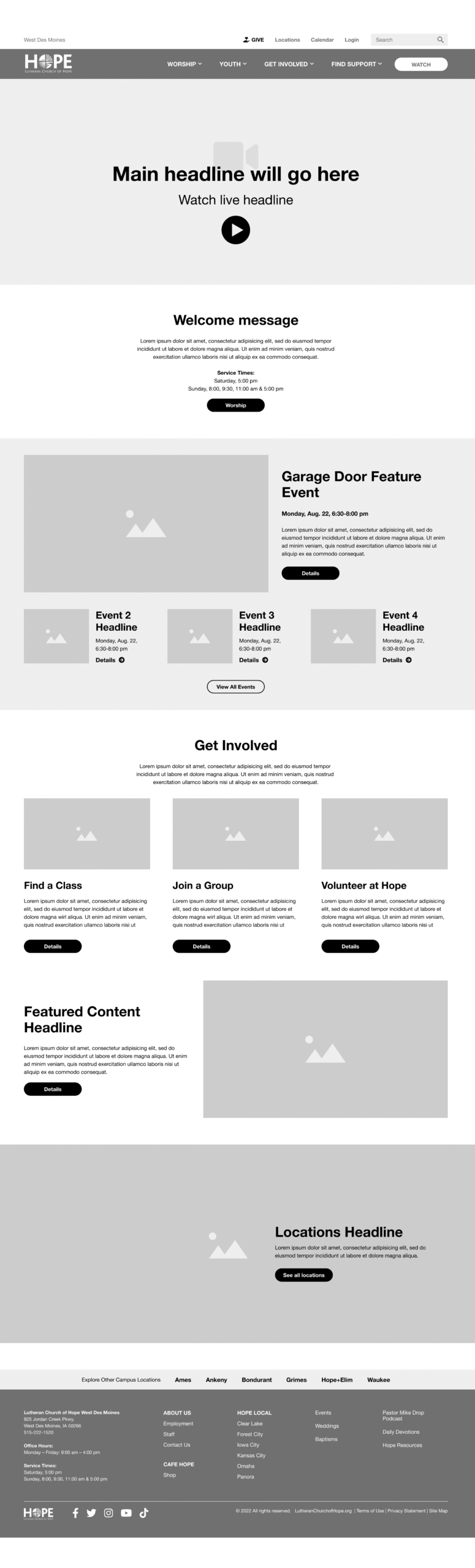
Homepage
- Worship front and center
- Clearer entry points
- Ability to feature time-sensitive content
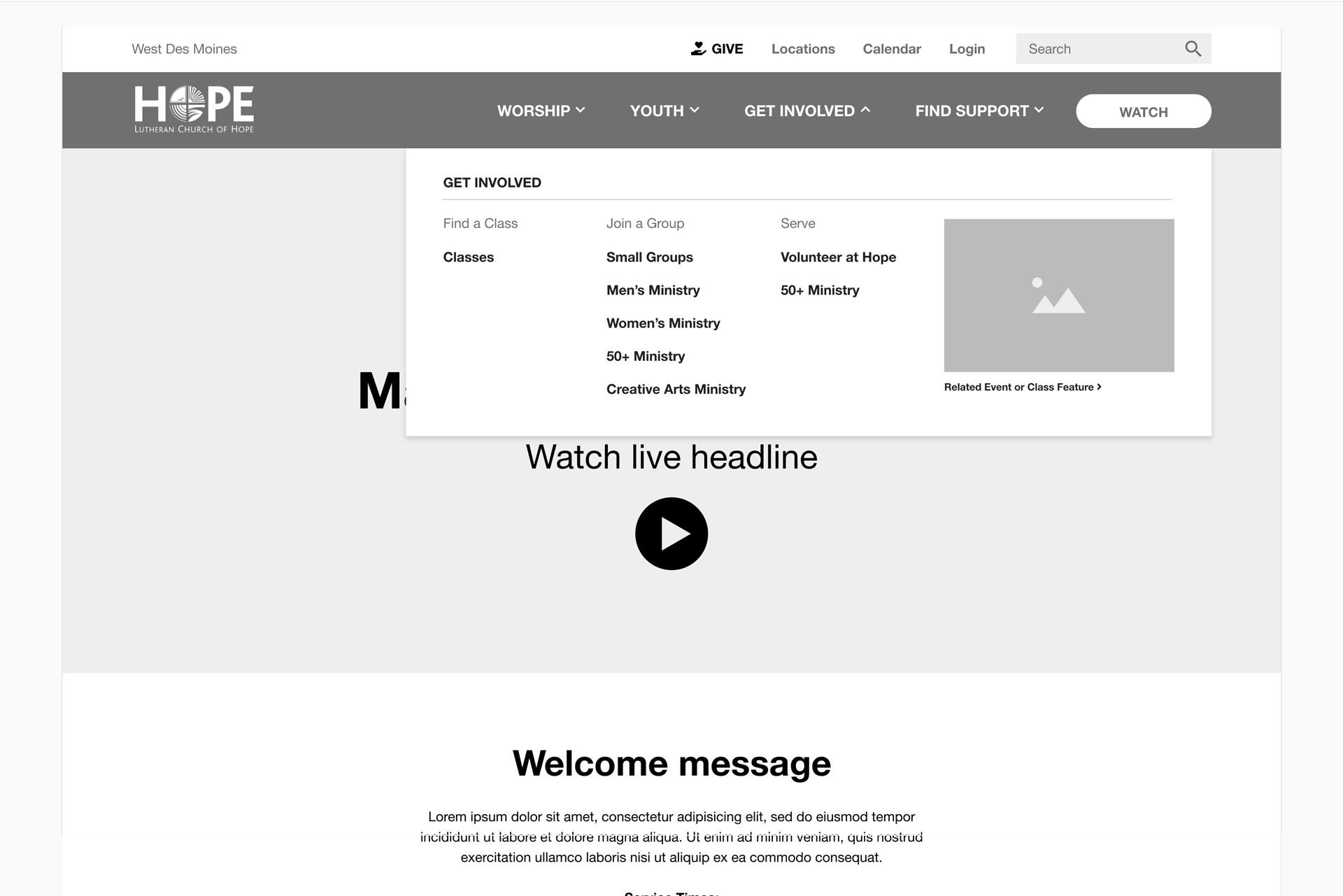
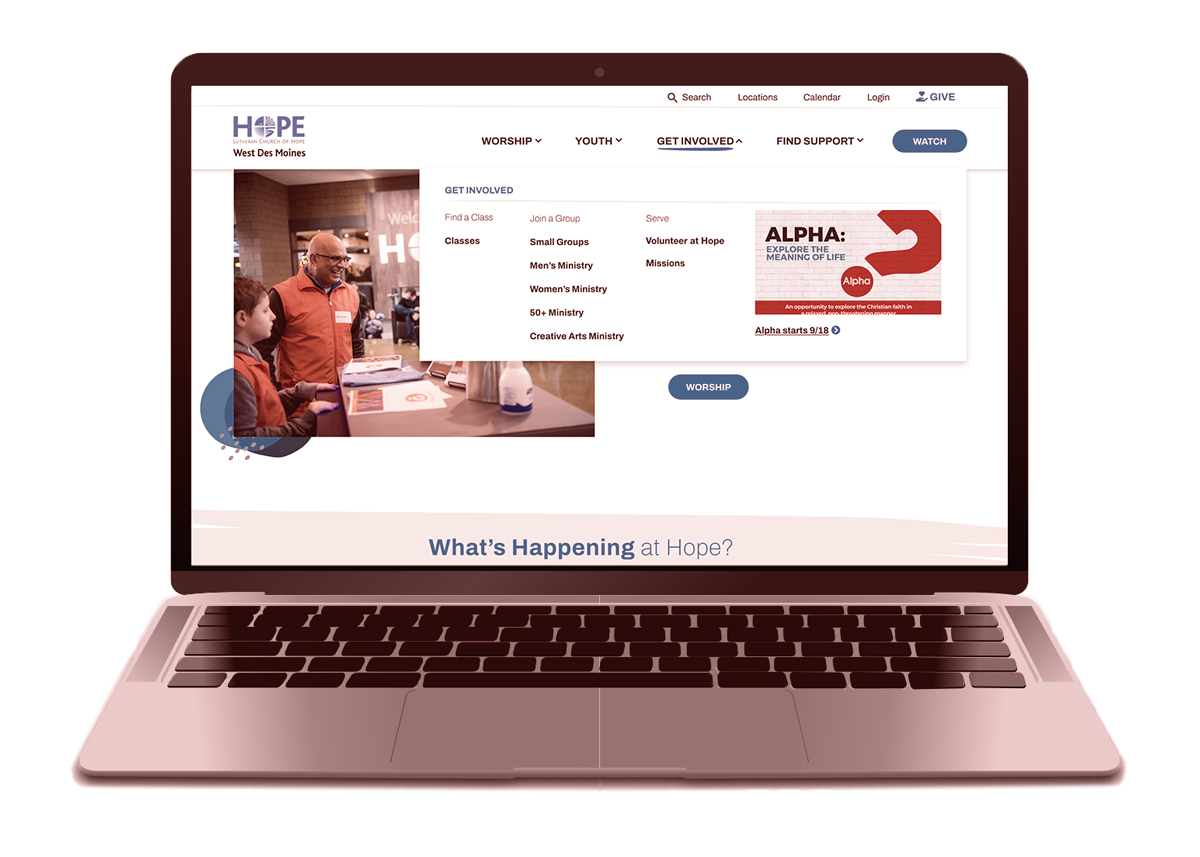
Mega Menu
- Clearer labels
- Better grouping
Ministry Pages
- Filtered content relative to each ministry
- Better overview of ministry offerings
High-fidelity Layouts
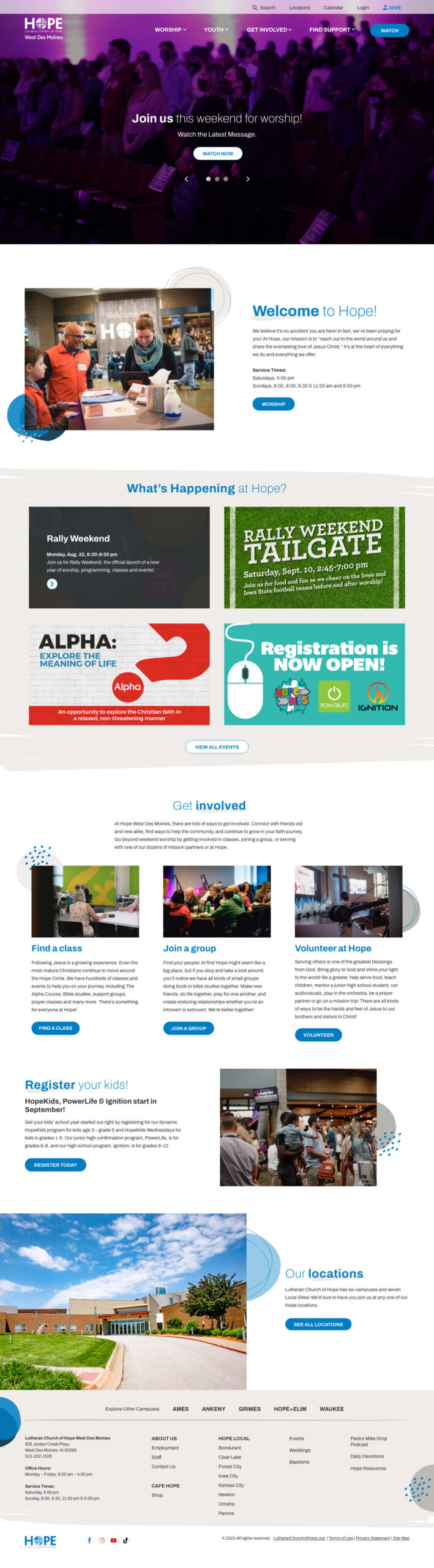
Home page now highlights what matters most: worship, what’s happening soon and clear next steps. Key actions are visible without scrolling, reducing reliance on the calendar or search.

Ministry pages are organized by purpose and audience and are uniquely branded. Each page gives context up front—what it is, who it’s for, and how to get involved.
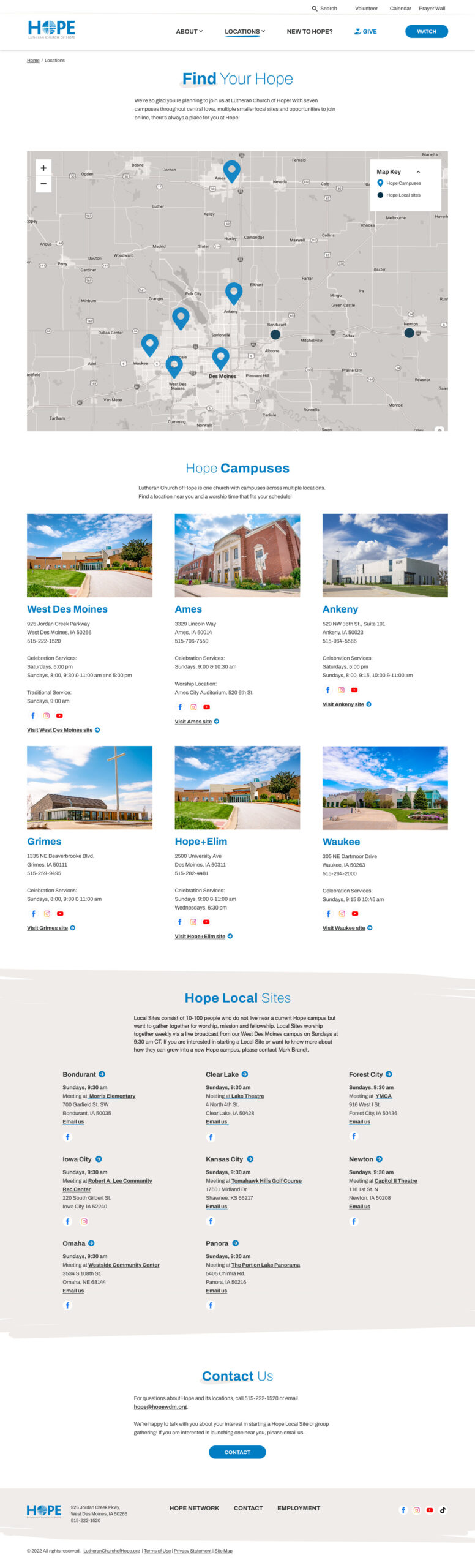
The locations page provides a clear way to explore each campus. Users can search by map or browse detailed listings, with clear distinction between physical campuses and Hope Local gatherings.

Classes moves beyond a calendar-only model by helping people browse and understand classes before choosing when to attend. They are pre-filtered by campus to reduce steps.
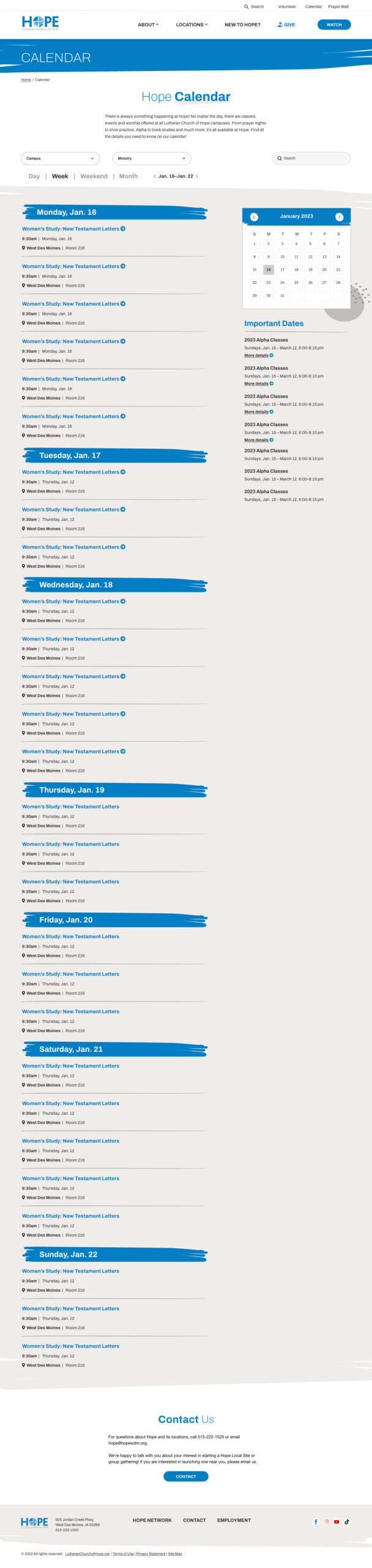
The calendar is repositioned as a planning tool, not the primary way to discover content. Filters help users quickly see what’s relevant without overwhelming them.

The missions page organizes a complex set of global and local opportunities into a more approachable experience. Users can explore different ways to serve, view past mission trip locations and find upcoming mission events without feeling overwhelmed.
The Result
The project resulted in a clearer, more scalable foundation for the church’s website—one that addressed long-standing usability issues while supporting how teams work behind the scenes.
Key outcomes
- Page layouts and navigation that prioritize clarity and user intent over vague or overly simplified labels.
- Reduced reliance on the calendar by surfacing key information directly on relevant pages.
- Clearer pathways to core tasks like worship, classes, volunteering, support, and missions.
- A WordPress multisite CMS model that allows each campus to manage its own content while maintaining shared structure and consistency across the organization.
- A flexible system designed to support future campuses without reworking the entire site.
Together, these outcomes created alignment between user needs, content strategy, and day-to-day content management—setting the project up for long-term success.